V-Ray for 3ds Max – Professional Photorealistic Rendering Course
A good design wins clients only when it is presented well. V-Ray is the world's most widely used rendering engine for interior design, architecture and product visualization. It turns your 3ds Max models into images that look like real photographs. This course at Cursor Insert India takes you from the basics of V-Ray to complete interior and exterior renders, with practical work in every class.
By the end of the course you will be able to set up realistic materials, place cameras like a photographer, light a scene for day and night, control render quality and time, and deliver portfolio-ready images for clients.
Why learn V-Ray?
- Industry standard for interior designers, architects and 3D visualization studios
- Works inside 3ds Max, so you can render the models you already make
- Realistic light, shadows, reflections and materials that impress clients
- High demand for rendering artists in interior, real estate and architecture firms
- Good freelance opportunities: many clients need 3D views before they build
Who should join this course?
- Interior design and architecture students
- Civil engineers and draftsmen who want to present designs in 3D
- 3ds Max users who want realistic renders
- Working interior designers who want better client presentations
- Anyone who wants to start a career in 3D visualization
Prerequisites
Basic knowledge of 3ds Max (modeling and the interface). If you are new to 3ds Max, take our 3ds Max course first or together with V-Ray.
Course highlights
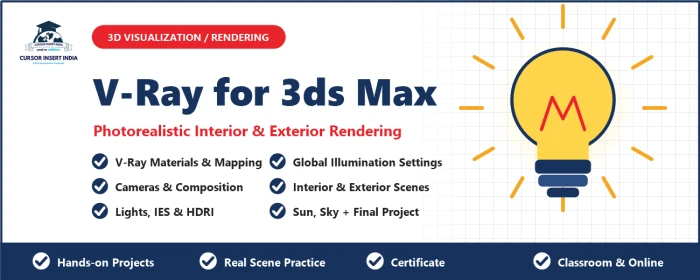
- Duration: 1 month
- Mode: Classroom and online
- Level: Beginner to professional
- Software: Autodesk 3ds Max with V-Ray
- Training style: Practical, with live render demos in class
- Projects: One complete interior and one exterior render
- Certificate: Cursor Insert India course completion certificate
Detailed syllabus
Module 1: Introduction to V-Ray
- What V-Ray is and where it is used
- History of V-Ray and how rendering works
- Rules and best practices for a clean V-Ray workflow
Module 2: V-Ray Render Setup
- Assigning V-Ray as the renderer
- Output size, aspect ratio and image resolution
- Using the V-Ray Frame Buffer (VFB)
Module 3: V-Ray Materials
- VRayMtl: diffuse, reflection, refraction and glossiness
- Bump, subdivisions and affect channels
- Making common materials: wood, glass, metal, fabric, tiles, marble and paint
Module 4: Light Material and Mapping
- V-Ray Light Material for glowing surfaces and lamps
- UVW mapping for correct texture placement
Module 5: V-Ray Cameras
- V-Ray Physical Camera and its settings
- Exposure, white balance and depth of field
- Camera moves: dolly, orbit and pan
- Composition rules for interior and exterior views
Module 6: V-Ray Lights
- Plane, sphere and mesh lights
- IES lights for real light fixtures
- Dome light with HDRI for natural lighting
Module 7: Lighting Setup
- Balancing lights for day and night scenes
- Controlling brightness, colour and shadows
Module 8: Render Settings
- Global illumination: Brute Force and Light Cache
- Image sampling and noise control
- Getting the best quality in less render time
Module 9: Interior Rendering (Practical)
- Complete interior scene: materials, lights, camera and final render, step by step
Module 10: V-Ray Sun & Sky
- Sun and sky settings for natural daylight
- Morning, noon and evening lighting
Module 11: Exterior Rendering (Practical)
- Complete exterior and elevation render, step by step
Module 12: Final Project
- One interior and one exterior photorealistic render for your portfolio
- Review and feedback by the trainer
What you will be able to do after this course
- Create realistic materials for any interior or exterior scene
- Light a scene correctly for day, night and artificial lighting
- Set up cameras for attractive, professional views
- Control render quality and time
- Deliver client-ready 3D views and build a strong portfolio
Career options
- 3D Visualizer
- Interior Rendering Artist
- Architectural Visualization Artist
- 3D Designer at interior design and architecture firms
- Rendering Artist at real estate and construction companies
- Freelance 3D Rendering Artist
Where you can work
Interior design studios, architecture firms, real estate developers, construction companies, furniture and modular kitchen companies, 3D visualization studios, and as a freelancer for clients in India and abroad.
Recommended courses to learn with V-Ray
- AutoCAD (2D drawings and plans)
- 3ds Max (3D modeling)
- SketchUp
- Adobe Photoshop (post-production of renders)
Why Cursor Insert India?
- Practical, project-based training
- Experienced trainers
- Classroom and online batches
- Course completion certificate
- Centres across India
Frequently asked questions
Do I need to know 3ds Max before joining?
Yes, basic 3ds Max knowledge is needed. You can join our 3ds Max course first or take both together.
Will I get a certificate?
Yes, you get a Cursor Insert India course completion certificate after you finish the course and the project.
Is the course practical?
Yes. Every module includes hands-on work, and you complete full interior and exterior renders.
Can I work as a freelancer after this course?
Yes. Many interior designers, architects and builders hire freelance rendering artists for 3D views.