Course Includes:
- Price: ₹ 20000.00
- Instrutor: Cursor Admin
- Duration: 2 Months
- Lessons: 0
- Language: Regional Language
- Certificate: Yes

Module 1: Introduction to CAD & SolidWorks
CAD, CAE and CAM concepts; SolidWorks products and features; user interface: FeatureManager design tree, CommandManager, callouts, handles, confirmation corner, mouse and keyboard shortcuts.
Module 2: Sketch Entities
Line, centerline, inference lines, circle, arc, rectangle, slot, polygon, ellipse, partial ellipse, parabola, spline and spline tools, points, text, construction geometry, snaps and grid.
Module 3: Sketch Tools, Relations & Dimensions
Fillet, chamfer, offset, convert entities, trim, extend, split, jog, mirror and dynamic mirror, move, copy, rotate, scale, stretch, sketch patterns, sketch picture, area hatch; blocks; sketch relations; smart, ordinate and fully-defined dimensioning; 3D sketch; rapid sketch.
Module 4: Part Modeling – Basic Features
Reference planes; Extrude (directions, thin feature, draft, contours); Revolve; Swept (profile, path, guide curves, twist).
Module 5: Loft, References & Multibody
Loft (profiles, guide curves, start/end constraints, centerline); Selection Manager; multibody parts; reference points, axes and coordinate systems.
Module 6: Curves, Fillets & Holes
Split, projected and composite curves; curve through points; helix and spiral; fillet features; Hole Wizard and hole types.
Module 7: Chamfer, Shell, Rib & Patterns
Chamfer, shell, rib; linear, circular, sketch-driven, curve-driven, table-driven and fill patterns; mirror; dome, freeform, deform, indent and flex.
Module 8: Fastening Features, Configurations & Properties
Mounting boss, snap hook and groove, vent; library features; configurations and design tables; measure tool; mass properties.
Module 9: Surface Modeling
Extruded, revolved, swept, lofted and boundary surfaces; planar, offset and radiate surfaces; extend, fill, ruled, trim, untrim and knit surfaces; mid-surface; replace and delete face; thicken; move face.
Module 10: Sheet Metal Design
Base flange, tab, edge flange, miter flange, hem, jog; break corner, closed corner, rip; sketched bend; fold and unfold; cross break; welded corner; lofted bends; converting solid to sheet metal; importing data.
Module 11: Assembly Modeling – Basics
Top-down and bottom-up approach; standard mates: coincident, parallel, perpendicular, tangent, concentric, lock, distance and angle.
Module 12: Advanced & Mechanical Mates
Symmetric, width, path, linear coupler and limit mates; cam, hinge, gear, rack-and-pinion and screw mates; SmartMates.
Module 13: Working with Assemblies
Replace, move and rotate components; assembly patterns and mirror; exploded views.
Module 14: Drawing Views
Angle of projection (first and third angle); model, projected and standard 3 views; auxiliary, detail, crop, broken-out, section, aligned section, alternate position and broken views; drawing properties.
Module 15: Dimensioning Drawings
Smart, baseline, ordinate and chamfer dimensions; auto-dimension; spell check.
Module 16: Annotations, BOM & Templates
Datum features, geometric tolerance (GD&T), surface finish, hole callout, datum target, cosmetic thread, balloons, center marks and lines, layers; Bill of Materials; hole table; sheets, templates and sheet formats.
Module 17: Rendering & Presentation
Rendering with PhotoView 360 / SolidWorks Visualize: materials, decals, scenes, backgrounds, cameras, lights, render options and saving high-quality images.
Final Project: design a complete mechanical product (parts, assembly, drawings and render) for your portfolio.
CAD Designer, Mechanical Design Engineer, Product Designer, Sheet Metal Designer, Draftsman (Mechanical), Design Engineer (Automobile / Manufacturing).
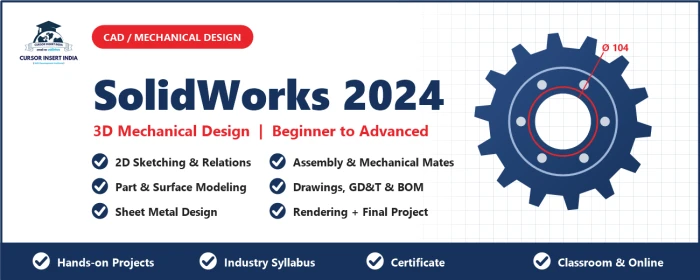
Learn SolidWorks 2024 from basics to advanced: 2D sketching, 3D part modeling, surfaces, sheet metal, assemblies, production drawings and photo-realistic rendering, with hands-on industry projects.


["Learn SolidWorks 2024 from basics to advanced: 2D sketching, 3D part modeling, surfaces,...
View Course
["1. AutoCAD Fundamentals & Basic Drawing","2. 2D Drawing & Editing Commands","3. Dimensio...
View Course