Adobe Lens Profile Creator Course | Cursor Insert India Adobe Lens Profile Creator Course | Learn Lens Calibration & Camera Profile Creation | Cursor Insert India
Cursor Insert India

Adobe Lens Profile Creator

Adobe Lens Profile Creator - Cursor Insert India

Adobe Lens Profile Creator

₹ 15000.00

Course Description

Module 1: Introduction to Adobe Lens Profile Creator

  • What is a lens profile?
  • Understanding lens distortion, vignetting, and chromatic aberration
  • Importance of custom lens profiles for image correction
  • Overview of Adobe Lens Profile Creator (LPC)
  • Compatibility with Adobe Camera Raw (ACR) and Lightroom

Module 2: Installing and Setting Up Adobe Lens Profile Creator

  • Downloading and installing the software
  • System requirements and hardware recommendations
  • Understanding the user interface and workflow overview
  • Required tools and test charts for lens profiling

Module 3: Capturing Images for Lens Profiling

  • Setting up test charts and calibration environments
  • Best camera settings for accurate lens profiling
  • Shooting guidelines for different lens types (wide-angle, telephoto, fisheye)
  • Ensuring consistent lighting and perspective control
  • Organizing captured images for profiling

Module 4: Creating Lens Profiles for Distortion Correction

  • Importing test images into Adobe Lens Profile Creator
  • Understanding different distortion types (barrel, pincushion, mustache)
  • Mapping distortion and applying corrections
  • Fine-tuning adjustments for specific focal lengths

Module 5: Vignetting and Chromatic Aberration Corrections

  • Understanding vignetting and how it affects images
  • Measuring and correcting lens vignetting with test images
  • Identifying chromatic aberration (CA) and color fringing
  • Adjusting and fine-tuning chromatic aberration corrections

Module 6: Exporting and Using Custom Lens Profiles

  • Saving and exporting lens profiles (.lcp files)
  • Installing profiles in Adobe Camera Raw and Lightroom
  • Applying lens profiles in Photoshop and Lightroom
  • Testing and refining profiles for different shooting conditions

Module 7: Advanced Lens Profile Customization

  • Creating profiles for zoom lenses and multiple focal lengths
  • Adapting profiles for different sensor sizes and crop factors
  • Customizing profiles for creative effects (intentional distortion)
  • Optimizing lens profiles for video workflows

Module 8: Troubleshooting and Best Practices

  • Common issues and solutions in lens profiling
  • Evaluating profile accuracy with real-world images
  • Best practices for organizing and managing lens profiles
  • When to use built-in Adobe lens profiles vs. custom profiles

Course Syllabus

1: Introduction to Adobe Lens Profile Creator

2: Installing and Setting Up Adobe Lens Profile Creator

3: Capturing Images for Lens Profiling

4: Creating Lens Profiles for Distortion Correction

5: Vignetting and Chromatic Aberration Corrections

6: Exporting and Using Custom Lens Profiles

7: Advanced Lens Profile Customization

8: Troubleshooting and Best Practices


Duration: 3 Months Months
(0 Reviews) 0 Ratings
Course Creator: Cursor Admin
Share on:
Adobe Lens Profile Creator preview

Course Includes:

  • Price: ₹ 15000.00
  • Instrutor: Cursor Admin
  • Duration: 3 Months
  • Lessons: 0
  • Language: Regional Language
  • Certificate: Yes
Admission Query

Related Courses

Mobile Photography
2 Months
Graphics Designer
Mobile Photography
( 0/0 Rating)
₹ 5000.00
  • Duration 2 Months
Graphics Designer
Mobile Photography
( 0/0 Rating)
  • 8 Lessons
  • 291 Students
View Details
Adobe Camera Raw
3 Months
Graphics Designer
Adobe Camera Raw
( 0/0 Rating)
₹ 15000.00
  • Duration 3 Months
Graphics Designer
Adobe Camera Raw
( 0/0 Rating)
  • 0 Lessons
  • 600 Students
View Details
Adobe Aero
3 Months
Graphics Designer
Adobe Aero
( 0/0 Rating)
₹ 25000.00
  • Duration 3 Months
Graphics Designer
Adobe Aero
( 0/0 Rating)
  • 0 Lessons
  • 642 Students
View Details
Adobe After Effects
3 Months
Graphics Designer
Adobe After Effects
( 0/0 Rating)
₹ 25000.00
  • Duration 3 Months
Graphics Designer
Adobe After Effects
( 0/0 Rating)
  • 0 Lessons
  • 580 Students
View Details
Adobe DNG Converter
3 Months
Graphics Designer
Adobe DNG Converter
( 0/0 Rating)
₹ 15000.00
  • Duration 3 Months
Graphics Designer
Adobe DNG Converter
( 0/0 Rating)
  • 0 Lessons
  • 133 Students
View Details
Adobe Animate
3 Months
Graphics Designer
Adobe Animate
( 0/0 Rating)
₹ 25000.00
  • Duration 3 Months
Graphics Designer
Adobe Animate
( 0/0 Rating)
  • 0 Lessons
  • 555 Students
View Details
Explore More

Related Courses

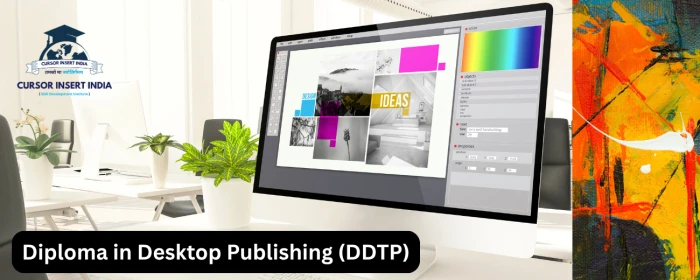
Diploma in Desktop Publishing (DDTP)

["1. Introduction to Desktop Publishing","2. Operating Systems & Basic Software Tools","3....

View Course
Certificate in Desktop Publishing (CDTP)

["1. Introduction to Desktop Publishing (DTP)","2. Basics of Graphic Design","3. Working w...

View Course
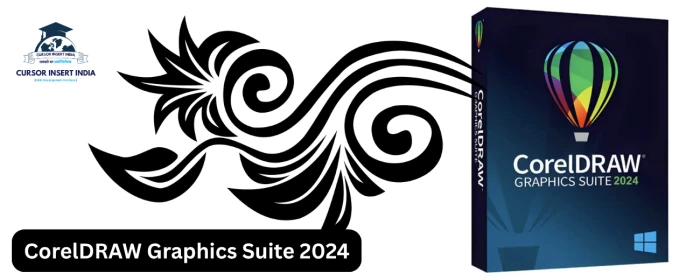
CorelDRAW Graphics Suite 2024

["1: Introduction to CorelDRAW 2024","2: Basic Drawing and Shape Tools","3: Colors, Fills,...

View Course
CorelDRAW Graphics Suite 2023

["1: Introduction to CorelDRAW 2023","2: Basic Drawing and Shape Tools","3: Colors, Fills,...

View Course
CorelDRAW Graphics Suite 2022

["1: Introduction to CorelDRAW 2022","2: Basic Drawing and Shape Tools","3: Colors, Fills,...

View Course
CorelDRAW Graphics Suite 2021

["1: Introduction to CorelDRAW 2021","2: Basic Drawing and Shape Tools","3: Colors, Fills,...

View Course